Short answer: Motion16 is an independent browser workspace designed to keep supported GPT Image and Grok media results, Motion16 Edit work, references, prompts, batches, and project history connected. It reduces the need to rebuild context across separate tools, although provider availability, model settings, and usage limits still apply.
Creative context disappears faster than files do
A downloaded image tells you what won, but not why. It may not include the prompt, model, reference, aspect ratio, or failed ideas that led to it. A week later, reproducing the same direction becomes a guessing game.
Project history preserves more of that context. In Motion16, generations, edits, and video attempts can remain connected to the workflow where they were created. That gives you a clearer path back to the source instead of a folder full of anonymous exports.
One project can hold several creative stages
Most useful work is not finished after the first generation. You may create a set of concepts, choose one, fix a detail, test another crop, and then animate the strongest still. Treating those as related stages makes the project easier to understand.
Motion16 brings supported GPT Image, Grok media, and Motion16 Edit into one workspace. It is not a new foundation model and it is not affiliated with the providers. Its role is to make the handoffs and history more practical.
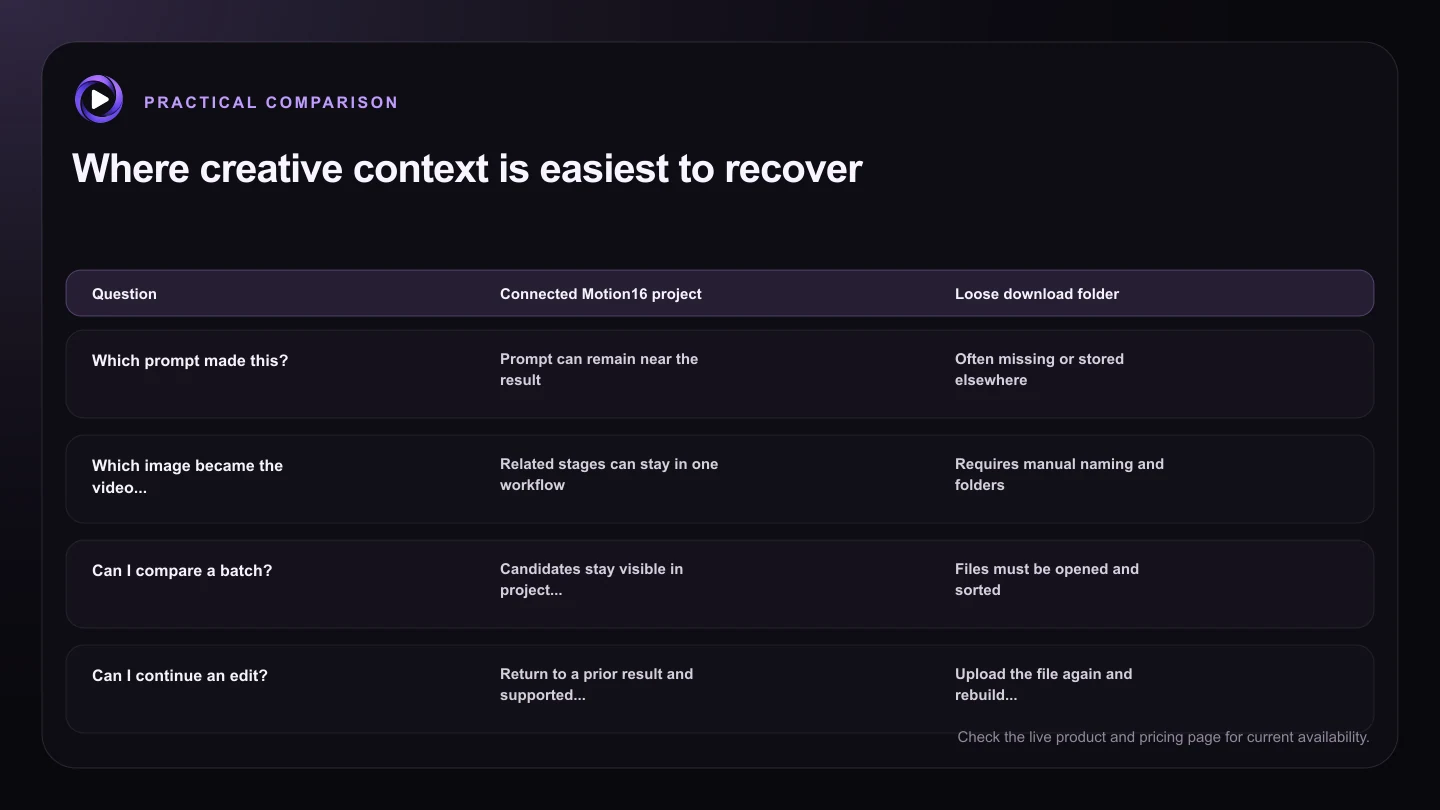
| Question | Connected Motion16 project | Loose download folder |
|---|---|---|
| Which prompt made this? | Prompt can remain near the result | Often missing or stored elsewhere |
| Which image became the video source? | Related stages can stay in one workflow | Requires manual naming and folders |
| Can I compare a batch? | Candidates stay visible in project history | Files must be opened and sorted |
| Can I continue an edit? | Return to a prior result and supported workflow | Upload the file again and rebuild context |
| Is it a permanent archive? | Useful creative history, subject to product terms | Controlled by your own storage policy |
Prompts become reusable project knowledge
A good prompt is often a starting point, not a one-time command. Saving it beside the output lets you reuse the useful parts while changing the camera, styling, or action. It also helps you spot which words did not have the effect you expected.
Keep a short note in the prompt about the intention of a variation. 'Wider for a vertical crop' is more useful later than 'version two.' Friendly naming and visible history save time when a project grows.
Comparison should happen before downloading
Downloading every result before making a decision interrupts the creative rhythm. It also encourages you to judge files one at a time instead of comparing composition, consistency, and fit for the final use.
A connected gallery lets you compare candidates first, revisit the related prompt, and continue from the better result. Export is still important, but it becomes the end of a decision rather than the only way to organize one.
A workspace still needs sensible boundaries
Keeping work together does not make provider limits disappear. Queues, available models, storage, resolution, and plan allowances can affect what you can create at a given moment. Check the live controls before promising a delivery schedule.
It is also smart to keep final approved exports in your normal asset system. Motion16 project history helps with creation and comparison, while your team storage can remain the source of truth for published files, contracts, and long-term archives.
Try this next
A tidy project routine
- Keep related concepts in the same project flow.
- Write prompts that explain the intent of each major variation.
- Compare candidates before downloading everything.
- Continue edits and video attempts from the selected source.
- Export approved final assets to your normal long-term storage.
- Check current plan, queue, and storage information before a large run.
Frequently asked questions
Is Motion16 a model or a workspace?
Motion16 is an independent creative workspace. It supports workflows involving GPT Image, Grok media, Motion16 Edit, references, batches, and project history rather than claiming to replace every underlying provider model.
Can I keep image and video versions in the same project?
That is the intended workflow. A supported image result can remain part of the project as you edit it or use it as the source for a supported image-to-video attempt.
Should Motion16 be my only file archive?
No. Use project history for active creative work, then keep approved exports in the storage and backup system your team already trusts.
Keep exploring: Read Why Use One AI Workspace Instead of Separate Image and Video Generators?, or check the current Motion16 plans and limits.