Short answer: Motion16 is a free-to-start creative workspace that lets you try supported Grok media workflows alongside GPT Image and Motion16 Edit. The free experience is designed for learning the workflow and completing a small number of real projects, not for promising endless generation. Current allowances can change, so the usage panel and pricing page are the right places to confirm exactly what is available on your account.
What free to start actually means
Free to start should mean more than looking at a demo. In Motion16, you can enter the workspace, create with the models available to your account, keep results in project history, and see how an image moves from an initial prompt to an edit or short video. That is enough to judge whether the workflow feels comfortable before paying for a larger allowance.
It does not mean every provider is unlimited forever. Grok media, video generation, and other costly tasks may use separate allowances or capacity rules. Motion16 shows account usage so you can see what remains. If a limit or model changes, the in-product usage view is more reliable than an old screenshot or a blog promise.
What to test before you upgrade
Start with one small creative brief that you genuinely care about. Generate an image direction, make a focused edit with a reference, and, if your allowance supports it, turn the strongest still into a short video. This gives you a realistic view of prompt handling, image quality, file organization, and the handoff between tools.
Pay attention to the boring details too. Can you find the version you liked yesterday? Can you compare a batch without downloading every file? Does the source image remain attached when you move into an edit? A free test is most valuable when it checks the whole process, not just the prettiest output.
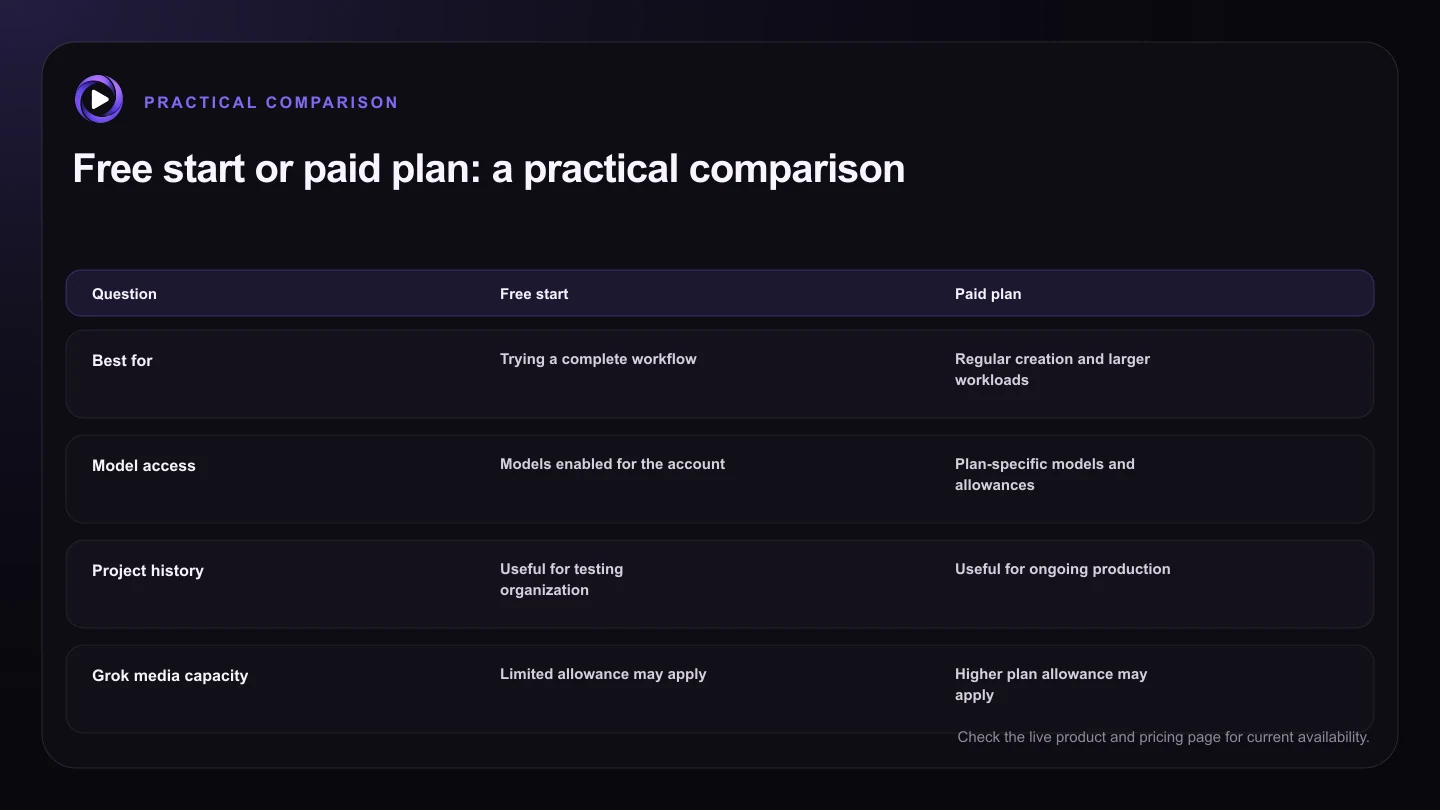
| Question | Free start | Paid plan |
|---|---|---|
| Best for | Trying a complete workflow | Regular creation and larger workloads |
| Model access | Models enabled for the account | Plan-specific models and allowances |
| Project history | Useful for testing organization | Useful for ongoing production |
| Grok media capacity | Limited allowance may apply | Higher plan allowance may apply |
| Where to verify limits | Account usage panel | Account usage panel and pricing page |
When a paid plan starts to make sense
A paid plan becomes useful when you are repeating the workflow for client work, a campaign, a store, or a content schedule. More capacity matters when you need several variations, regular Grok media generations, or multiple jobs moving through the workspace. It can also reduce the friction of carefully rationing every experiment.
Do not upgrade only because one prompt missed the mark. First try a clearer brief, a better source image, or a smaller batch. Upgrade when the free allowance has helped you prove that the workflow saves time and you know what you want to create next.
How Motion16 differs from a single-model chat
A chat is convenient for a quick request, but creative work usually branches. You may want GPT Image for one direction, Grok media for another, Motion16 Edit for a targeted change, and image-to-video for the final motion test. Motion16 keeps those stages in one browser workspace with references, batches, and project history.
That does not make every result automatically better. Model choice, source quality, and prompting still matter. The advantage is practical: you can compare approaches without rebuilding the project context each time, then continue from the version that actually works.
Try this next
A smart free-plan test
- Choose one real project instead of a random prompt.
- Generate a small batch and compare the results.
- Try one reference-led edit in Motion16 Edit.
- Test image-to-video if it is available to your account.
- Confirm your current allowance in the usage panel.
- Upgrade only when the workflow proves useful.
Frequently asked questions
Do I need a paid plan to open Motion16?
No. Motion16 is free to start. Account allowances and available models are shown inside the product and may change over time.
Is Grok media unlimited on the free plan?
Do not assume that it is. Grok media can have a separate allowance, and video tasks can consume more capacity than a still image. Check the live usage panel for your account.
Is Motion16 affiliated with xAI or OpenAI?
No affiliation should be inferred. Motion16 is an independent workspace that provides access to supported model workflows under its own product experience.
Keep exploring: Read Is Motion16 Better Than Using Grok Imagine Alone?, or check the current Motion16 plans and limits.