Short answer: Use both for a small comparison when the direction is still open. If you already know the model or workflow that performs well for this type of brief, start there and test the alternative only when it adds useful options. Consider prompt fit, references, editing, planned video handoff, current allowances, and provider availability. Motion16 lets you keep supported GPT Image and Grok results in one project, which makes a practical choice easier than comparing from memory.
Start with the outcome, not the model name
List what must be true of the final image. Does it need a precise product layout, a distinctive character, open space for copy, a particular crop, or a source suitable for animation? The more specific the deliverable, the easier it is to judge which output actually helps.
A model can create a beautiful image that still misses the assignment. Decide whether speed of exploration, exact prompt following, reference use, editability, or video readiness matters most. Then compare the supported workflows against that priority.
Use GPT Image when its workflow fits the task
GPT Image can be a useful starting point for prompt-led exploration and supported image work inside Motion16. It may fit projects where you want to generate many directions over time and then organize, compare, or refine the strongest candidates. Actual output quality still depends on the brief and provider behavior.
Under the current Motion16 paid plan policy, GPT Images have no plan-period total. Batch size, concurrency, queue capacity, safeguards, and provider availability still apply. That policy can make GPT Image practical for iterative projects, but current details can change, so confirm them on the /pricing page before planning production volume.
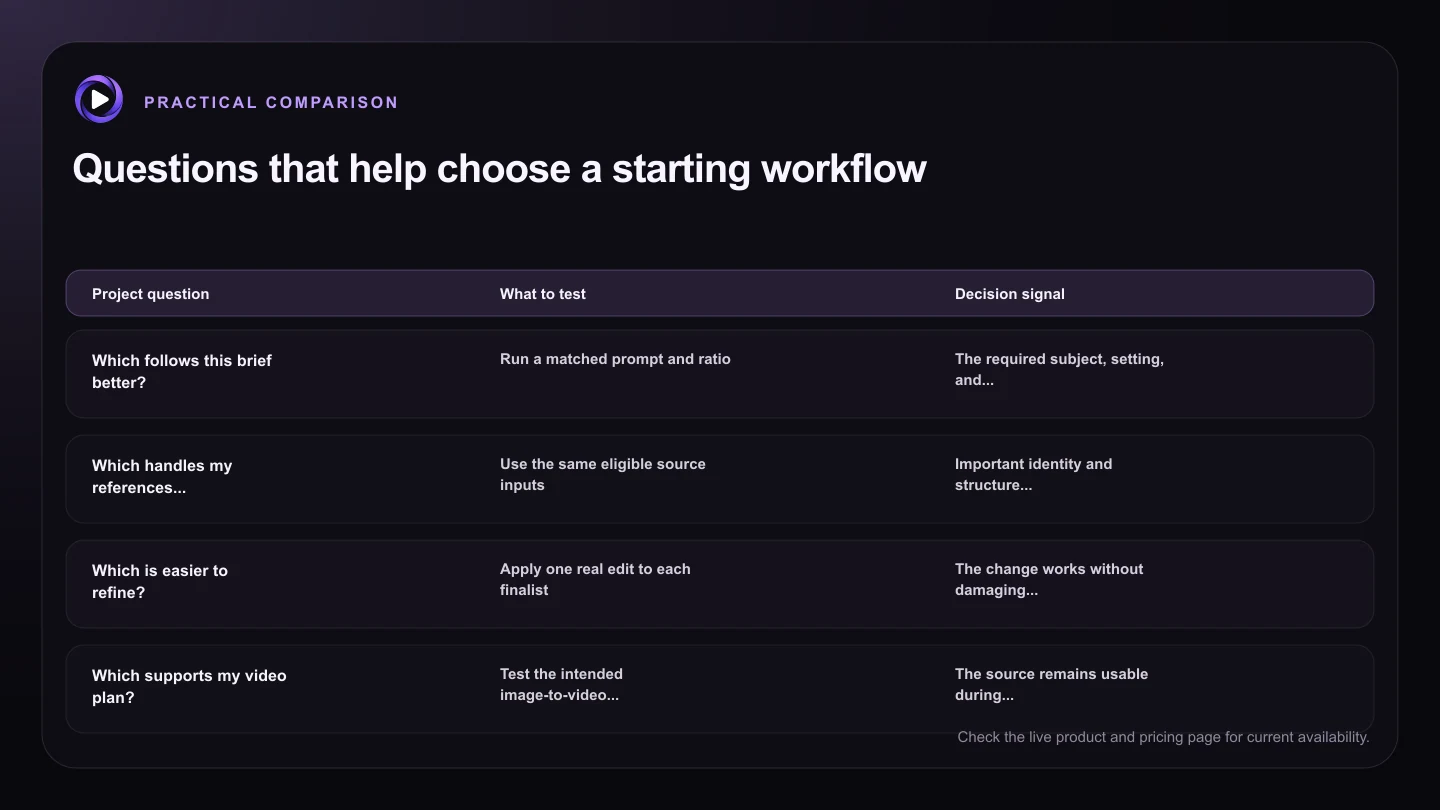
| Project question | What to test | Decision signal |
|---|---|---|
| Which follows this brief better? | Run a matched prompt and ratio | The required subject, setting, and composition appear reliably |
| Which handles my references better? | Use the same eligible source inputs | Important identity and structure survive |
| Which is easier to refine? | Apply one real edit to each finalist | The change works without damaging key details |
| Which supports my video plan? | Test the intended image-to-video handoff | The source remains usable during motion |
| Which fits current capacity? | Review plan access, queue, and separate allowances | The workflow matches the project's expected volume |
Use Grok when the Grok media workflow fits the direction
Grok quality gives you another visual interpretation of the same brief and connects naturally to supported Grok media workflows. It can be useful when you prefer the result from a direct comparison or when your project is already moving toward Grok image-to-video generation.
Grok media uses its own allowance in Motion16. Images and videos do not share the paid GPT Image policy, and video usage can vary with settings such as duration and resolution. Check the current plan display and usage view before committing a large batch.
Run a quick model audition when the choice is unclear
Give each model the same core prompt, ratio, and references where supported. Generate a small matched set, then hide the model labels for the first review if you want to reduce brand bias. Pick finalists based on the brief before looking at which model made them.
Next, test the action you actually need. Try a targeted edit, a crop, or an image-to-video handoff. The output that survives the next step may be more valuable than the one that wins a first-glance beauty contest. Keep those tests in one Motion16 project so the reasoning remains visible.
Let different models play different roles
You do not need one permanent default for every project. A team might explore broad directions with one model, choose a frame from another, and use Motion16 Edit or Grok video for a later stage. Supported options and allowances remain distinct, but the project history can stay connected.
Motion16 is independent and is not affiliated with OpenAI or xAI. Model availability and behavior can change, so treat any comparison as a current workflow decision. The best setup is the one that gives your team repeatable results and a clear path from idea to delivery.
Try this next
A practical checklist for your next test
- Define the image's intended use and nonnegotiable details.
- Check current model access and allowances on /pricing.
- Run a small matched comparison when the answer is unclear.
- Judge outputs before letting model preference decide.
- Test the edit or video step the project will actually need.
- Use different models for different stages when that works better.
Frequently asked questions
Which model should a beginner choose first?
Start with the model available on your current plan and a simple, well-defined brief. If both are available, generate a small matched set and choose from the visible results rather than trying to learn every difference in advance.
Are paid GPT Images unlimited in Motion16?
Under the current paid plan policy, GPT Images have no plan-period total. Batch, concurrency, queue, safeguards, and provider availability still apply. See /pricing for current details.
Does the same allowance cover GPT Image and Grok?
No. Grok media has a separate allowance, and Motion16 Edit also has its own allowance. Current amounts and plan terms can change, so check /pricing and the in-app usage view.
Keep exploring: Read How Do I Compare GPT Image and Grok Image Results?, or check the current Motion16 plans and limits.