Short answer: Motion16 supports batch-oriented image workflows with supported GPT Image and Grok options, letting you create and compare multiple outputs within project history. Batch size, queue capacity, model access, and usage allowances depend on the current plan and provider, so the visible controls are the source of truth.
Use a batch to explore, not to repeat
A batch is most useful when the result space is genuinely uncertain. If you are deciding between a close portrait, a full scene, and a product-focused composition, several outputs can reveal which direction deserves more work.
Asking for many nearly identical images may use more capacity without teaching you much. Begin with a clear prompt, then let the first batch expose the decisions that need a second round.
Keep the shared variables stable
Comparison becomes difficult when every variable changes at once. Keep the subject, purpose, aspect ratio, and core visual direction consistent within a batch. That way, differences in framing or interpretation are easy to notice.
If you want to compare two prompts, run them as separate labeled batches. One might test soft window light while another tests hard studio light. Mixing both inside one instruction makes it harder to understand what worked.
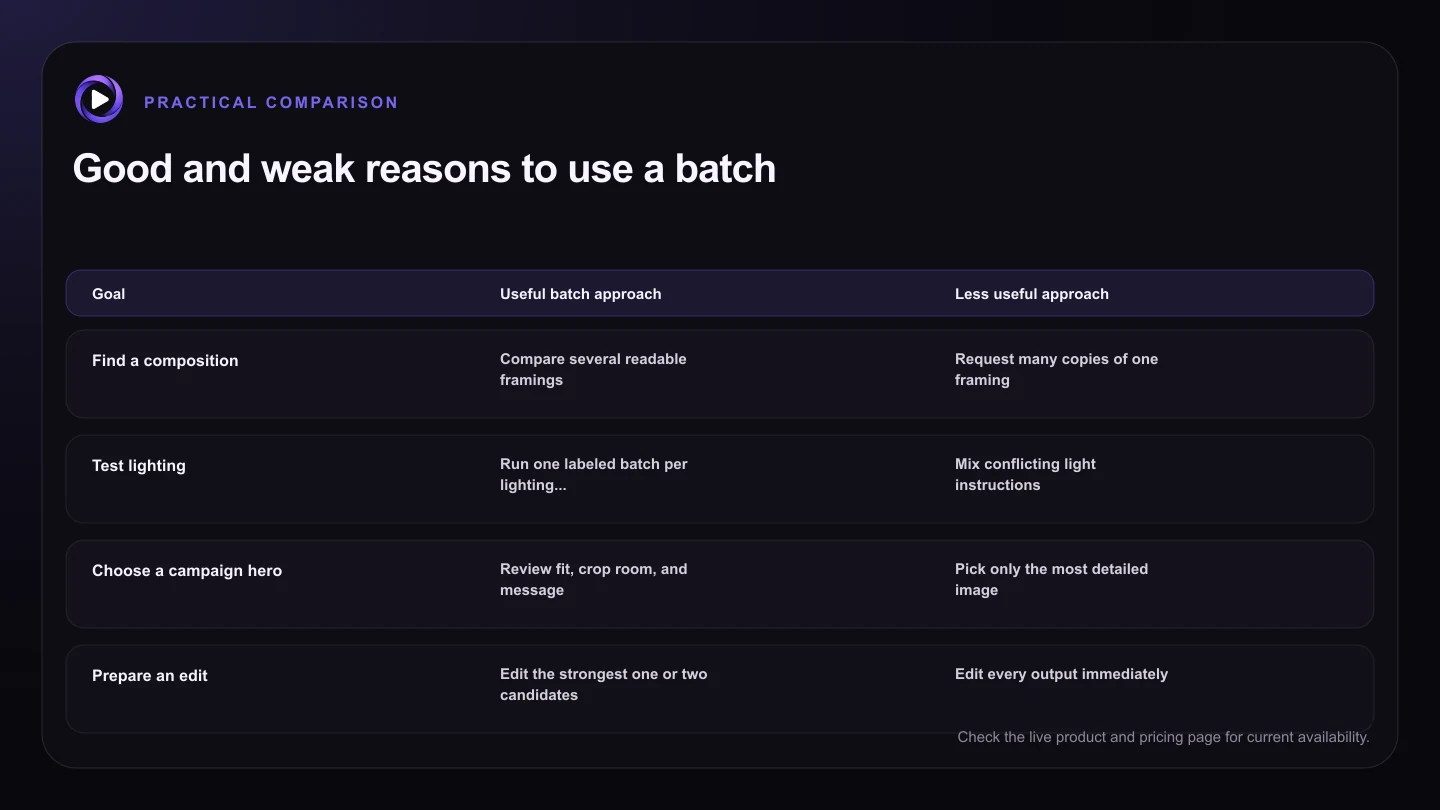
| Goal | Useful batch approach | Less useful approach |
|---|---|---|
| Find a composition | Compare several readable framings | Request many copies of one framing |
| Test lighting | Run one labeled batch per lighting direction | Mix conflicting light instructions |
| Choose a campaign hero | Review fit, crop room, and message | Pick only the most detailed image |
| Prepare an edit | Edit the strongest one or two candidates | Edit every output immediately |
| Manage capacity | Test a small batch, then scale | Assume every job starts instantly |
Choose candidates before requesting edits
Do not polish every image in a large batch. First remove candidates with weak anatomy, unreadable products, unsuitable crops, or a mood that misses the brief. Then compare the strongest few at the size where they will actually be used.
Once a winner emerges, continue with Motion16 Edit or another supported workflow. This funnel keeps editing time focused on ideas that already have a solid composition.
Plan around queues and allowances
A visible batch count does not mean every job starts at the exact same moment. Work may enter a queue, and provider capacity can affect completion times. That is normal for hosted generation services.
Check your live usage and current plan before a deadline. Motion16 does not guarantee unlimited availability, and supported providers may enforce their own limits. A small representative run is safer than submitting a full campaign without testing.
Save the reason behind the winner
The best image is not always the most dramatic one. It may win because the headline fits, the product is legible, the pose leaves room for a crop, or the visual matches the rest of a campaign.
Keep the chosen prompt and related candidates in project history. When someone asks for a new size or variation, you can return to the reasoning instead of starting from an exported file with no context.
Try this next
Before starting a batch
- Write down the decision the batch should help you make.
- Keep the subject, use case, and aspect ratio consistent.
- Separate major prompt directions into different batches.
- Check the selected model, output count, queue, and live allowance.
- Shortlist candidates before editing or animating them.
- Keep the winning prompt and source in project history.
Frequently asked questions
How many images can Motion16 create in one batch?
The available count depends on the selected model, current controls, plan, and capacity. Check the output selector and live usage information in the composer rather than relying on a fixed number in an article.
Do all images in a batch finish together?
Not always. Jobs can complete at different times because of queues and provider processing. Project history should update as results become available.
Should every image in a batch use the same prompt?
For a clean comparison, keep one core prompt and shared settings within a batch. Run a separate batch when you want to test a substantially different creative direction.
Keep exploring: Read Can a Grok Alternative Generate Multiple Image Variations at Once?, or check the current Motion16 plans and limits.